
AI Strategy
One evening, 25 messages, and a Firefox port
How I ported Pointa from Chrome to Firefox and Zen with Codex inside Delano, and why the useful part was not just speed but completeness.


In one evening, I sent about 25 messages.
Codex, working inside Delano's structure, turned a Chrome-only extension into a working Firefox/Zen version. Under the hood, that meant changing 25 source files and touching more than 2,600 lines of implementation code.
The interesting part is not the line count by itself. Code volume is a bad scoreboard. The useful part is that this was a real compatibility project, with planning, implementation, testing, evidence, and release judgment, and it moved from idea to working internal beta in one evening.
The extension was Pointa.
I use Zen Browser every day. It is built on Firefox, and it has quietly become the browser I prefer. Fast enough. Calm enough. Opinionated in the right places.
The annoying part: a lot of useful browser extensions still assume you live in Chrome.
Pointa was one of them.
So I wanted it in Zen.
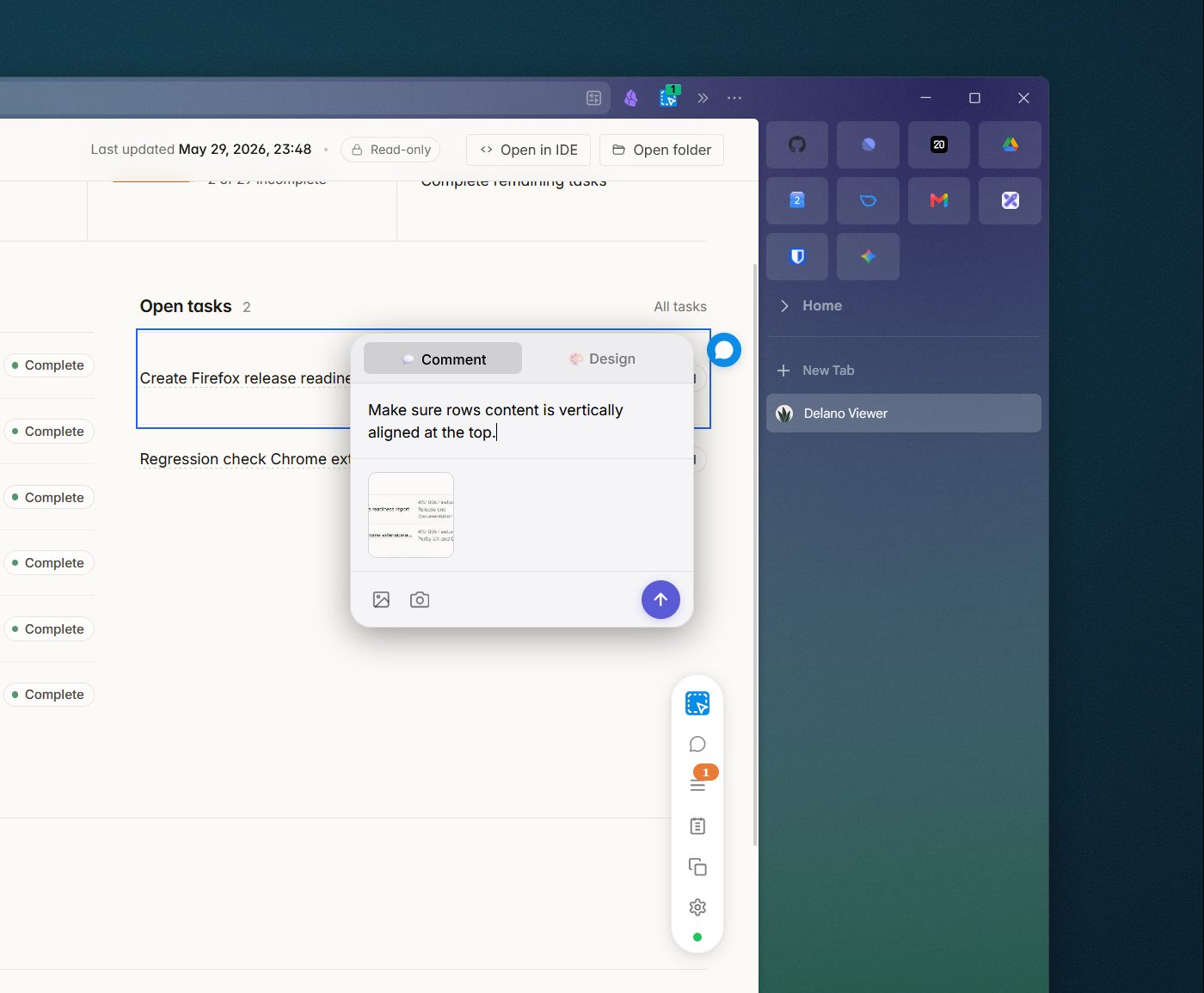 Pointa running inside Zen, with browser feedback attached directly to the page.
What Pointa does
Pointa lets you click on a running local web app, select a UI element, leave an annotation, attach a screenshot or bug context, and ask your AI coding agent to fix it.
That sounds small until you have spent enough time prompting coding agents.
Without Pointa, you end up writing things like:
On the detail page, in the right sidebar, under the metadata block, make the spacing above the second label a bit smaller.
You know exactly what you mean. The model has to reconstruct it from prose, file names, code, screenshots, and luck.
Pointa gives the agent a better starting point. It records the thing you clicked, the page context, the screenshot, and the annotation. Through MCP, the protocol many coding agents use to read external context, the agent can connect the feedback to the code.
It turns browser feedback into something closer to Figma comments for a live product.
Why the port was not a quick copy
At first, a Chrome-to-Firefox extension port sounds like a basic compatibility job.
Take the Chrome extension. Generate a Firefox manifest. Load it in Zen. Fix a few warnings.
Browser extensions rarely cooperate that nicely.
A browser extension is not just a small button in the toolbar. It has a package format. It asks the browser for permissions. It injects code into pages. It takes screenshots. It talks to a local development server. In Pointa's case, it also packages useful context so an AI coding agent can understand what you clicked and what you want changed.
Chrome and Firefox do not expose all of those pieces in the same way. Firefox has a different extension runtime, a different permission model, and no equivalent for Chrome's debugger API.
So the port became a real compatibility project. Some of the work was visible: make annotations work, make screenshots work, make the extension load in Zen. Some of it was plumbing: transform the manifest, remove unsupported Chrome permissions, detect what the browser can do, handle Firefox's content script behavior, update which browser origins the local server accepts, and keep the MCP context useful for the coding agent.
The business meaning is simple: there were many small places where the project could look done while still being unreliable.
This is exactly the kind of work where "just get started" feels fast for the first hour, then turns into a mess.
I started with Delano before touching the code
The important decision happened before implementation started.
I did not open the repo and ask an agent to "make it work in Firefox."
I added Delano to the project first.
Delano is a set of instructions, scripts, and repo conventions that make coding agents work in a more structured way. Instead of keeping the plan in a chat window, it gives the project a place for context, workstreams, tasks, decisions, evidence, and validation.
It also comes with a simple viewer, so you can actually see what the agent is working on. For some, that is a bit of a gimmick. For me, it is an easy way to keep track of the project. I just do not like the reading experience in VS Code. If an agent is going to run for an hour, split work across tasks, and leave evidence behind, you need a clean way to inspect that work without reading a pile of markdown files by hand.
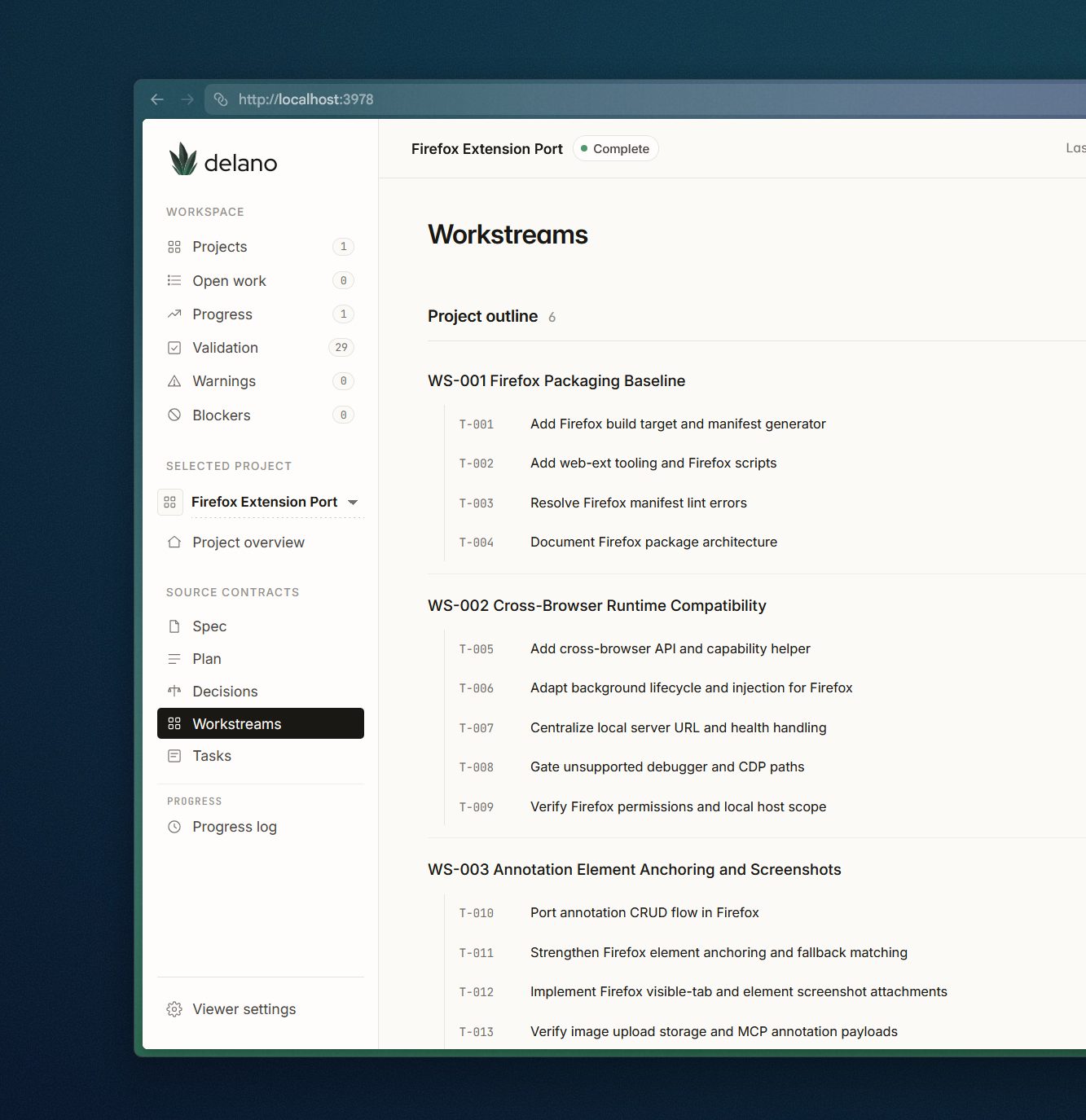 Delano's viewer showing the Firefox port split into workstreams and tasks.
I created Delano because I kept running into the same problem with coding agents. The model could make changes. Sometimes very good changes. But the work around the code was too fragile:
- context lived in a chat window;
- decisions disappeared after compaction;
- tasks were implied instead of explicit;
- validation was easy to skip;
- agents sounded finished before the evidence was there.
In other words, Delano puts the operating model inside the repository.
This is how I start almost every project now.
For Pointa, I let the agent research the codebase, identify the Firefox constraints, create a project, define workstreams, split the work into tasks, and set acceptance criteria before it started changing the extension.
It created six workstreams and 29 tasks from the start. It knew which parts depended on which other parts. It knew what evidence was needed. It knew which tasks could be delegated to subagents and which files should not be touched in parallel.
The agent then worked through that structure for more than an hour. Not as a single long prompt, but as a planned delivery project. Just powering through it.
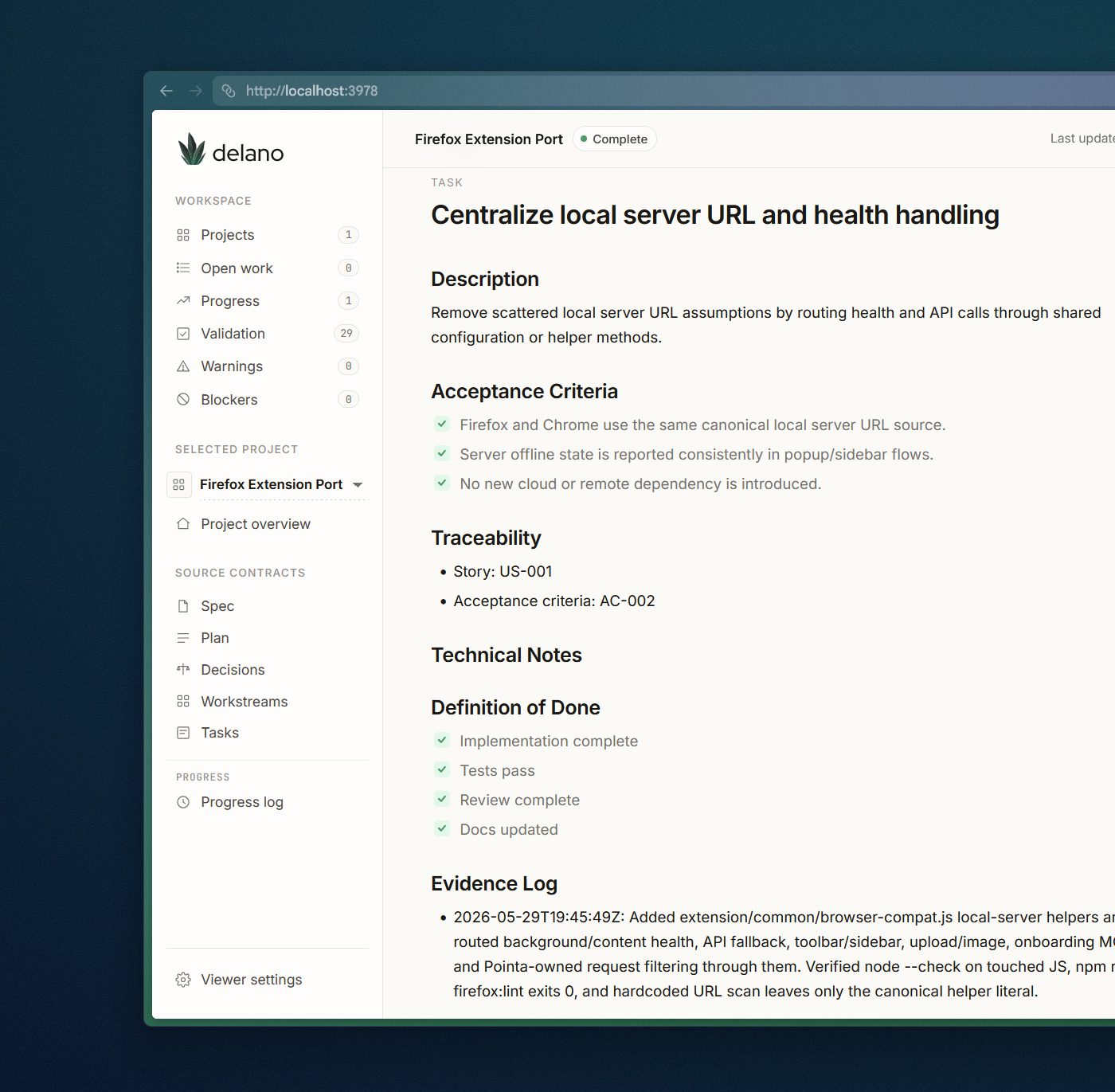 A Delano task with acceptance criteria, technical notes, and evidence attached to the work.
The last bugs were small because the foundation was there
There were still bugs at the end.
Of course there were.
Zen rejected a Chrome-only privacy_policy field in the generated Firefox manifest. Firefox was stricter about how code was injected into the page. One return value worked in Chrome but failed in Firefox because Firefox clones extension data differently. Screenshot capture broke after the toolbar reopened and lost a temporary permission grant. Annotation deletion failed because the local server trusted Chrome extension origins but not Firefox extension origins yet.
Those bugs were annoying, but to be expected in compatibility work.
The difference was that they were not existential problems.
By the time those bugs appeared, the basics were already there:
- the Firefox build existed;
- the manifest transform existed;
- the runtime compatibility layer existed;
- the permission model had been thought through;
- the annotation flow worked;
- screenshot storage and MCP payloads had been tested;
- the release scope was documented.
So the final bugs were a few minutes of focused fixes instead of a sign that the whole project had been underplanned.
That is the lesson I want people to take from this.
Delano made the agent plan for the messy foundation work that people often only discover after they have already started editing an existing codebase.
My job moved toward review and judgment
For this project, I mostly tested the real thing myself.
I loaded the extension in Zen. I passed back the actual browser errors. The agent traced them, patched the code, rebuilt the package, and updated the evidence.
When screenshots failed, it found the permission issue. When deletes failed, it found the server-origin issue. When I created a test annotation, it inspected the stored annotation data and verified the screenshot: 1124 by 946 pixels, stored as a WebP attachment.
That was a good human-in-the-loop pattern for this specific project, because browser extensions still have awkward permission and runtime behavior that is easiest to expose inside the actual browser.
But manual testing is not always the end state. I could probably have been more hands off if Computer Use got involved.
In other projects, I automated more of this loop. When building an Android application, for example, an agent can run Android Studio, start an Android emulator, open the application, and use Maestro to walk through the flows we care about. It can build, test, find the failure, patch the issue, and run the test again.
I do not want to sit next to an agent and approve every tiny command. I also do not trust a black box that changes files and declares victory.
The useful middle is practical:
I define the outcome. The agent carries the implementation. The real workflow gets tested, either by me or by automation. Delano keeps the proof visible.
Completeness is a key benefit
Speed helped, but the more useful part was that the work did not stop when the extension merely loaded in Firefox.
The project kept going until the release state was clear:
- build tooling was added;
- Firefox stayed generated from shared source;
- unsupported Chrome paths were guarded;
- evidence capture was rebuilt around Firefox-supported APIs;
- docs were added for users, developers, QA, privacy, AMO warnings, and release readiness;
- validation results were recorded;
- unfinished work stayed visible.
The release note says Firefox/Zen is ready for internal beta. It does not claim public release. Chrome regression and AMO warning cleanup are still visible as open work.
What this changes
A project like this normally eats senior engineering attention across research, planning, compatibility testing, follow-up fixes, documentation, release judgment, and task bookkeeping. The code is only one part of the work.
With Delano, more of that surrounding work moved into the project itself. The agent had repo context, tasks, validation gates, evidence, and open risks. I still had to judge the result, but I was not carrying the whole coordination layer in my head or in a chat thread.
That makes small, specific software projects cheaper to attempt properly.
This Firefox/Zen version was created with GPT-5.5 through my Codex subscription; priced per use, like many enterprise setups, the same run would have cost about $70.15.
It also changes the build-versus-buy question. For internal tools, the old question was often: can we afford to build this? The sharper question now is: is this workflow important enough to own, now that a serious first version costs much less?
That does not remove the need for technical review. It does make the distance shorter between "I know exactly what workflow I need" and "there is a working first version."
The Pointa port gave me the immediate thing I wanted: the extension now works in Zen.
It did not happen through a magic prompt. It happened because the agent had a delivery structure around it: plan the work, split it up, implement, test the real workflow, record evidence, and leave the remaining risk visible.